Customized Session List
Hey there, LiveSession users! We’re pumped to share our latest update, packed with features that give you more control, flexibility, and a polished experience. Here’s what’s new:
Configurable Session List Table View
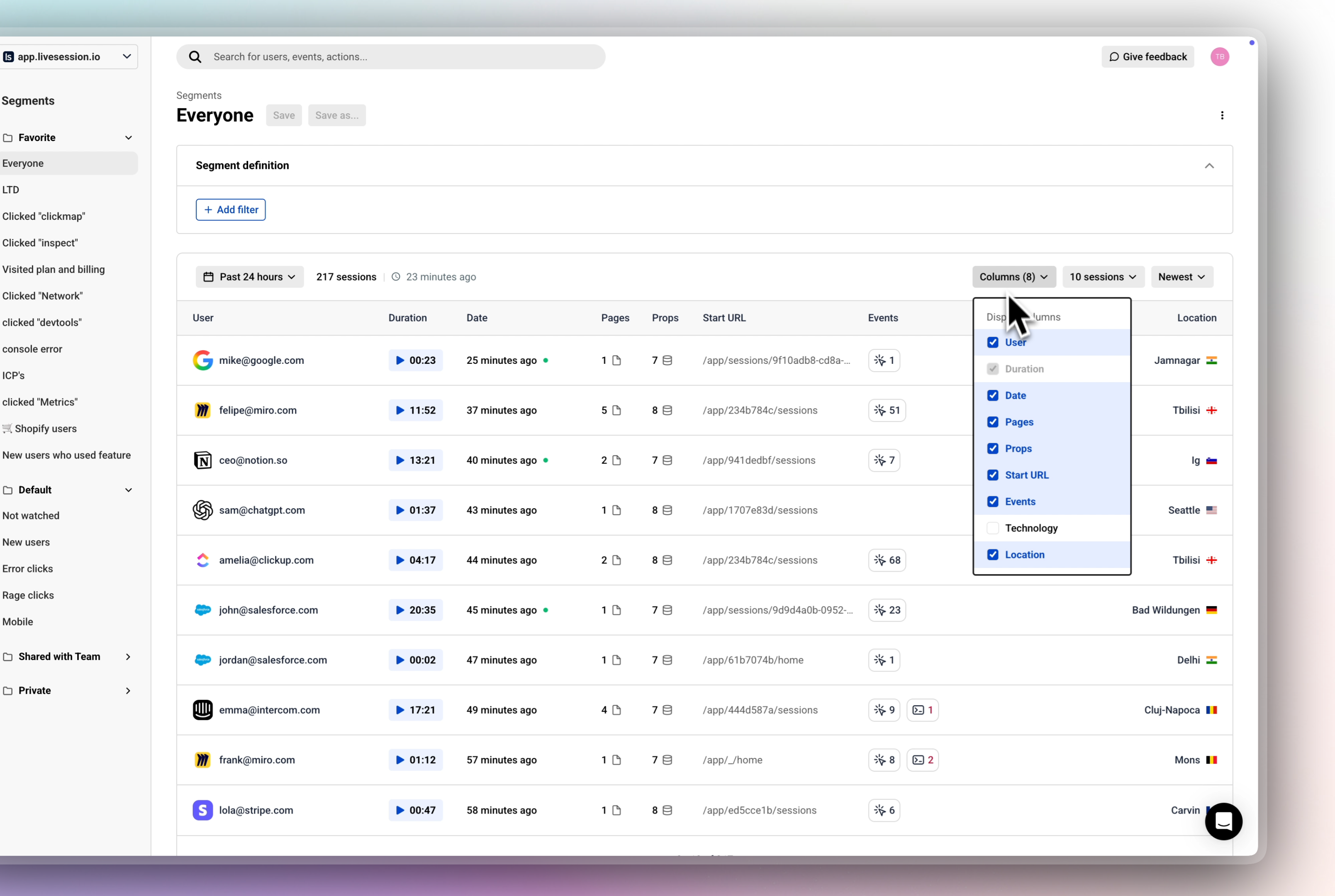
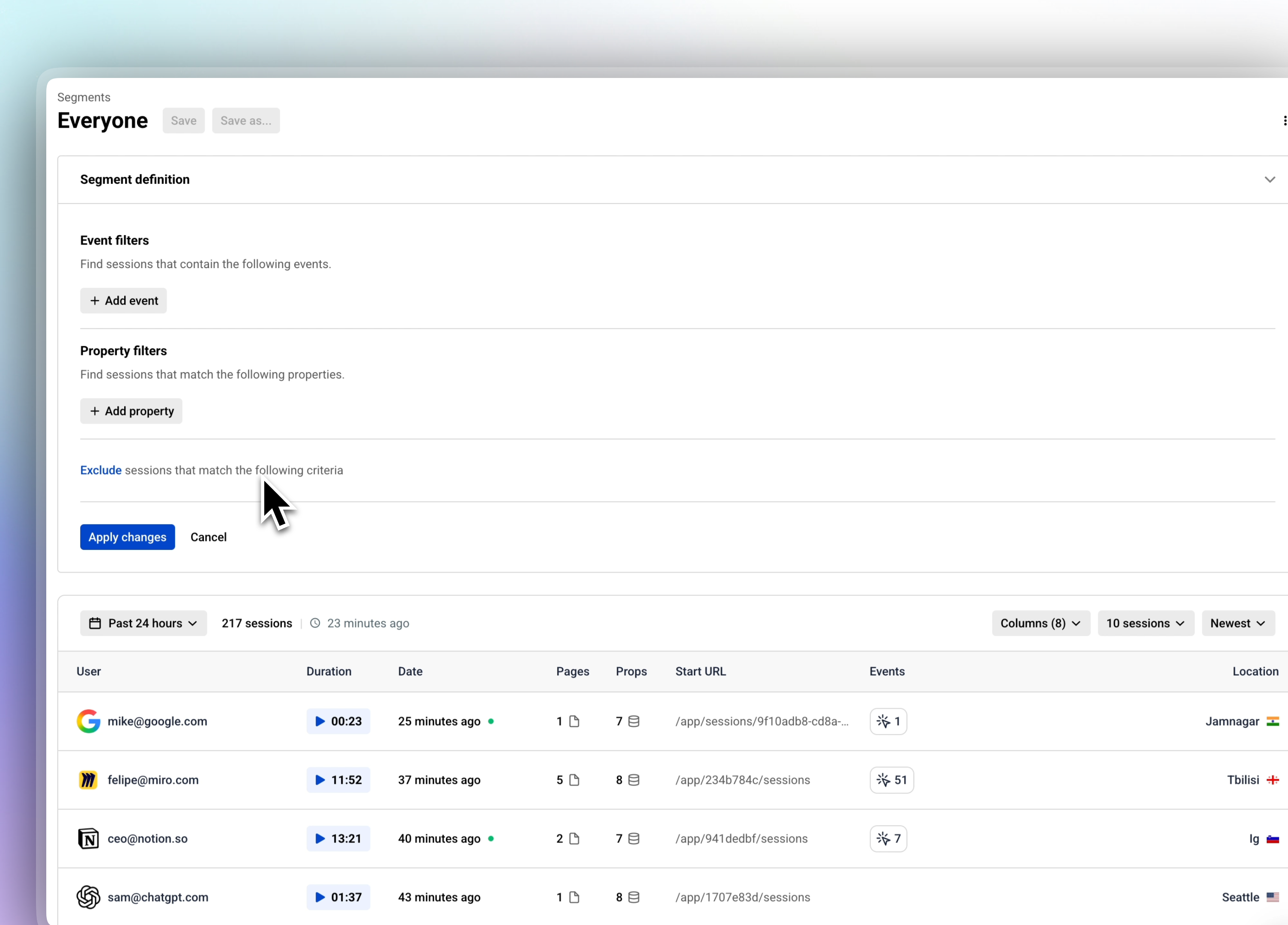
Get ready to tailor your session list! With our redesigned table view, you can now choose exactly which columns to display, including:
👨🏼💻 User: Identify who’s interacting with your product.
⏰ Duration: See how long sessions last, with a sleek new Watch Session button to jump straight into Session Replays.
📅 Date: Track when sessions happened.
📄 Pages: Monitor page navigation patterns.
🔗 Props & Events: Dive deep into custom properties and events for web app projects.
➡️ Start URL: Focus on entry points for website projects.
💻 Technology: Understand the user's tech stack
📍 Location: Understand geographic context of your users.
Whether you’re analyzing a web app or a website, you can customize the table to show only what matters. Need props and events for your app? Swap in start URL for your website project. It’s all about your workflow.
Saved Preferences: Your column choices are saved per user, per project or website, so your perfect setup is ready every time you log in
Why You’ll Love It:
Less Clutter: Focus on the data you care about, without the noise.
More Personalization: Tailor the view to match your project’s goals.
Faster Analysis: Get to insights quicker with a streamlined, user-friendly table.
Clear Segment definition
We’ve streamlined navigation with a shared header across Sessions, Dashboards, Metrics, and Funnels. This cohesive design keeps things intuitive and consistent, so you can move between sections without missing a beat.
Resizable Sidebar
Make the sidebar work for you! With our new configurable sidebar size, you can tweak it to fit your screen and style—go sleek and minimal or expand it for easier navigation. It’s all about creating a workspace that feels just right.
Filter Icons from Our Design System
Our filter icons got a serious upgrade! Pulled straight from our design system, these new icons are crisp, consistent, and make filtering sessions feel seamless. Expect a cleaner, more intuitive experience every time you sort through your data.
We’re beyond excited to bring these updates to you, and we can’t wait to hear what you think! Jump in, explore the new features, and drop us your feedback to help us keep making LiveSession better every day.
Share your feedback here: