Changelog

Follow new updates and improvements to LiveSession.

Introducing the Events 🎉
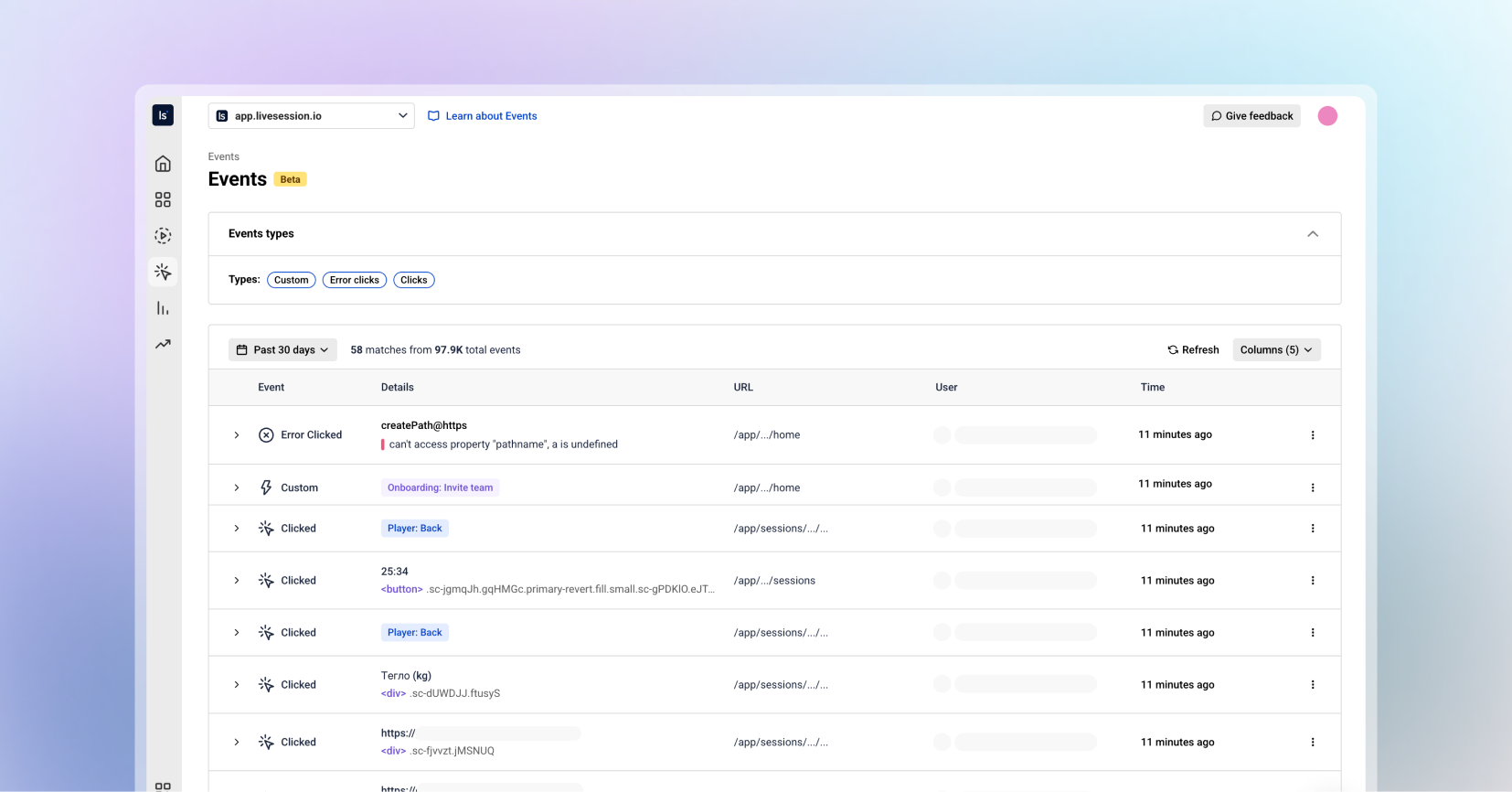
Hey LiveSession users! We’re thrilled to unveil one of our biggest updates yet. Events bring powerful behavioral insights directly into your workflow. This release gives you deeper visibility into what users do across your product, helping you move from “what happened?” to “why?” faster than ever.

Let’s dive into what’s new:


🎮 Events: Your New Command Center for User Actions 

For the first time in LiveSession, you can browse all user events in one organized, searchable, and beautifully structured place.

The Events tab lets you:

  • Explore all events happening inside your product, in real time

  • Filter by event type (custom events, clicks, defined events, error clicks, and more)

  • See every event property in a clean, readable structure

  • Understand user journeys through actions - not just sessions

  • Investigate issues faster than ever before

This is your new home for deep product insights, onboarding audits, feature adoption checks, and user behavior exploration.


📒 New Event List

The Event List is built for clarity and speed.
Each event displays:

  • Event name

  • Event type

  • User

  • Time (when this event occurred)

Everything you need to understand what happened and why, without digging.

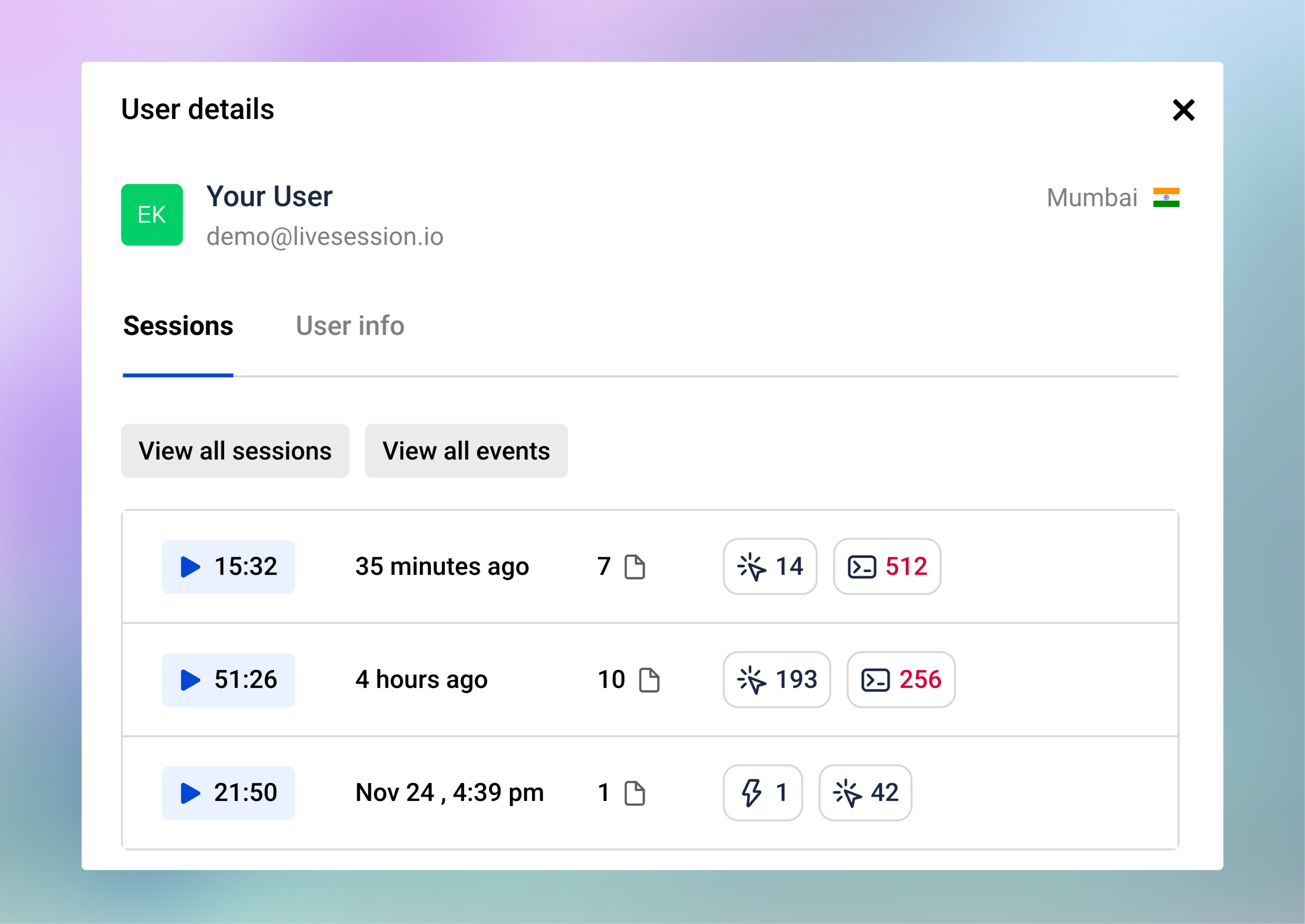
👨🏼‍💻 User Profiles

User Profiles make it simple to understand and analyze individual user behavior. From any profile, you can see:

  • A list of all recent user sessions

  • Session statistics: total sessions, total duration, and average session length

  • User information including built-in properties (email, location) and custom properties (plan, website)

You can also click View All Sessions or View All Events. This takes you directly to the respective list with a filter applied for that user’s ID, so you can see all sessions or events performed by this specific user. 

📈 Event Insights
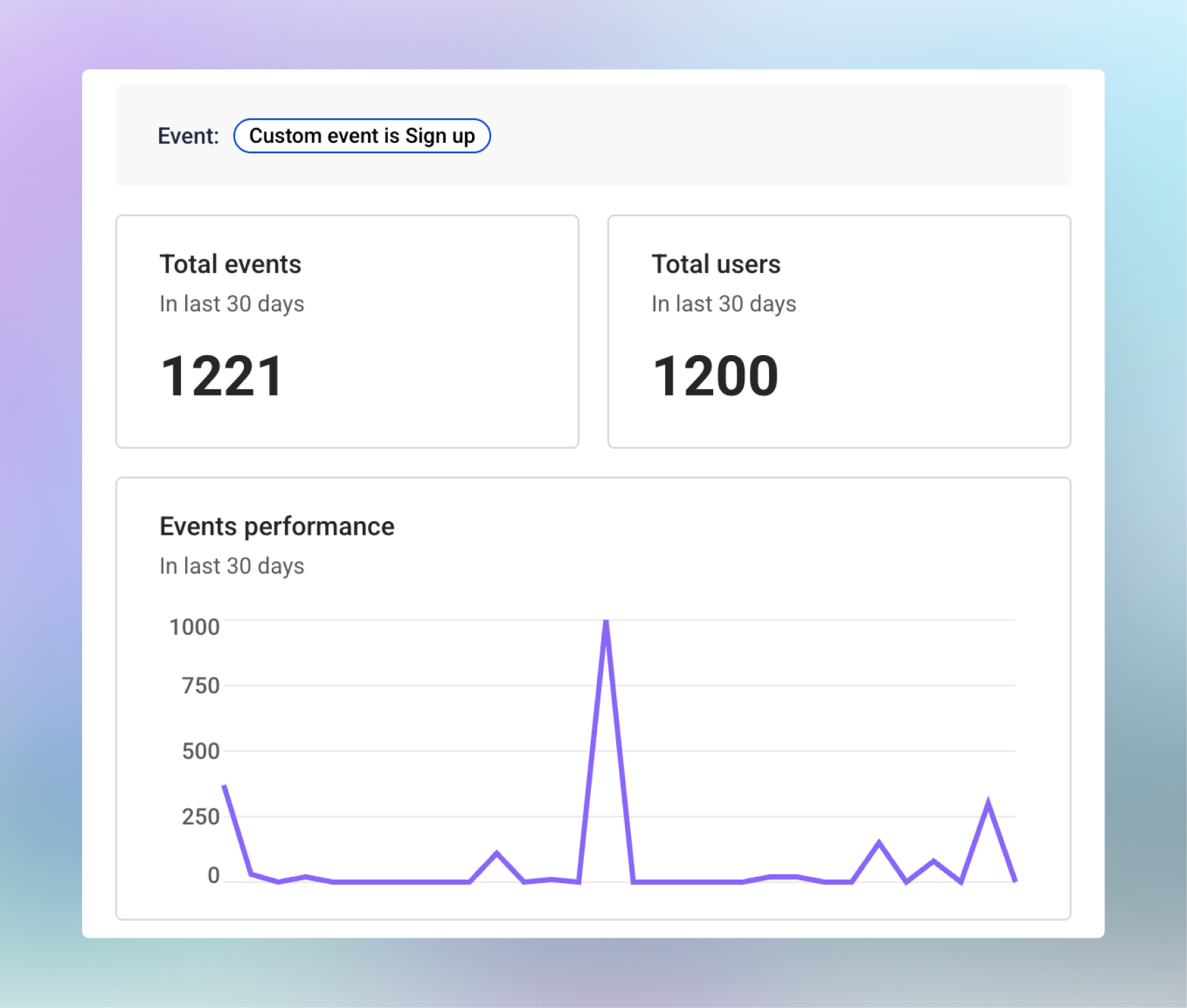
The Event Insights provides a breakdown for each specific event. In the side panel, you can see:

  • Total number of times the event was performed in the last 30 days

  • Total users who triggered the event

  • A trend chart showing changes in event usage over time

  • The last few sessions where this event occurred

These insights help you track feature adoption, understand user behavior, and quickly identify patterns or anomalies that need attention.

🕵🏻‍♂️ Viewing Event Details

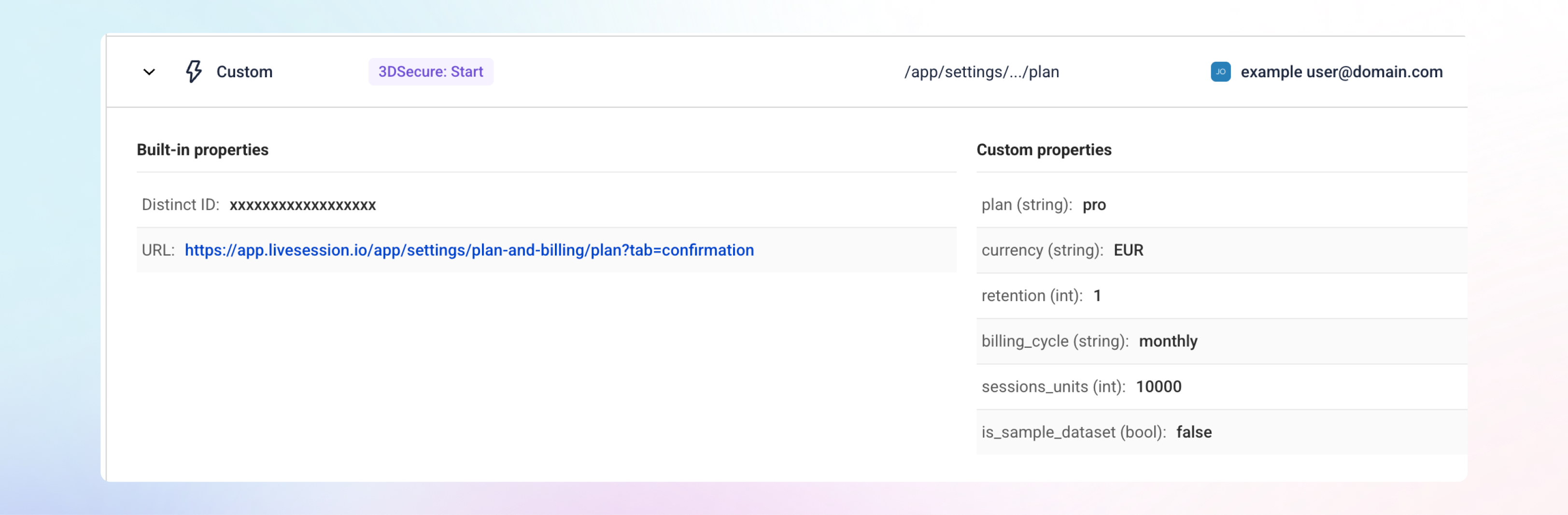
To see more about any event, click the row or the arrow next to it, and the details will open right below. This inline view makes it easy to get full context without leaving the Event List.

Every event includes built-in properties such as the Distinct ID and the URL where the event occurred.

There are 3 event types with a special look:

Custom Events show all the properties sent with the event, giving you complete visibility into user interactions.

Error Clicks include extra technical details, like the error message and stack trace, making it easier to debug issues without replaying multiple sessions.

Defined Events include the same click-related properties as regular clicks, giving you consistent context across event types.

Smart URL Trimming

Dynamic IDs are now automatically trimmed from URLs, giving you URLs that are actually readable.

🥰 Why You’ll Love It

Deeper Understanding of User Behavior

Events give you the “micro-level” view at user actions in real time.

Faster Product Insights

Move from events → session replay in seconds.

A Foundation for Future Power Features

The Events unlock space for even more advanced analytics coming soon.


We’re incredibly excited to bring this update to you.
Jump into the new Events, and let us know what you think.

Request new features here: https://feedback.livesession.io/
New Feature

Customized Session List

Hey there, LiveSession users! We’re pumped to share our latest update, packed with features that give you more control, flexibility, and a polished experience. Here’s what’s new:

Configurable Session List Table View

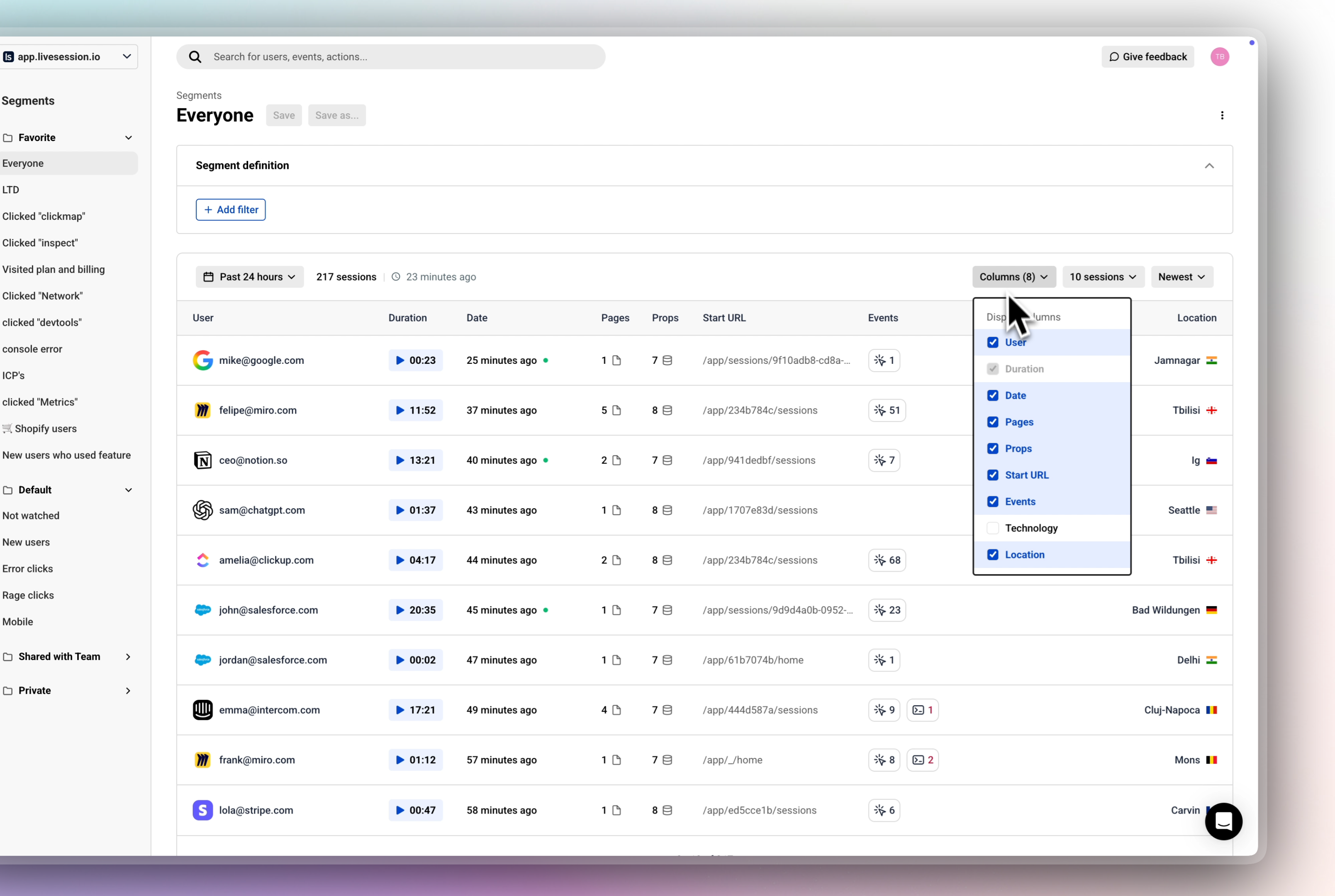
Get ready to tailor your session list! With our redesigned table view, you can now choose exactly which columns to display, including:

  • 👨🏼‍💻 User: Identify who’s interacting with your product.

  • ⏰ Duration: See how long sessions last, with a sleek new Watch Session button to jump straight into Session Replays.

  • 📅 Date: Track when sessions happened.

  • 📄 Pages: Monitor page navigation patterns.

  • 🔗 Props & Events: Dive deep into custom properties and events for web app projects.

  • ➡️ Start URL: Focus on entry points for website projects.

  • 💻 Technology: Understand the user's tech stack

  • 📍 Location: Understand geographic context of your users.

Whether you’re analyzing a web app or a website, you can customize the table to show only what matters. Need props and events for your app? Swap in start URL for your website project. It’s all about your workflow.

Saved Preferences: Your column choices are saved per user, per project or website, so your perfect setup is ready every time you log in

Why You’ll Love It:

  • Less Clutter: Focus on the data you care about, without the noise.

  • More Personalization: Tailor the view to match your project’s goals.

  • Faster Analysis: Get to insights quicker with a streamlined, user-friendly table.

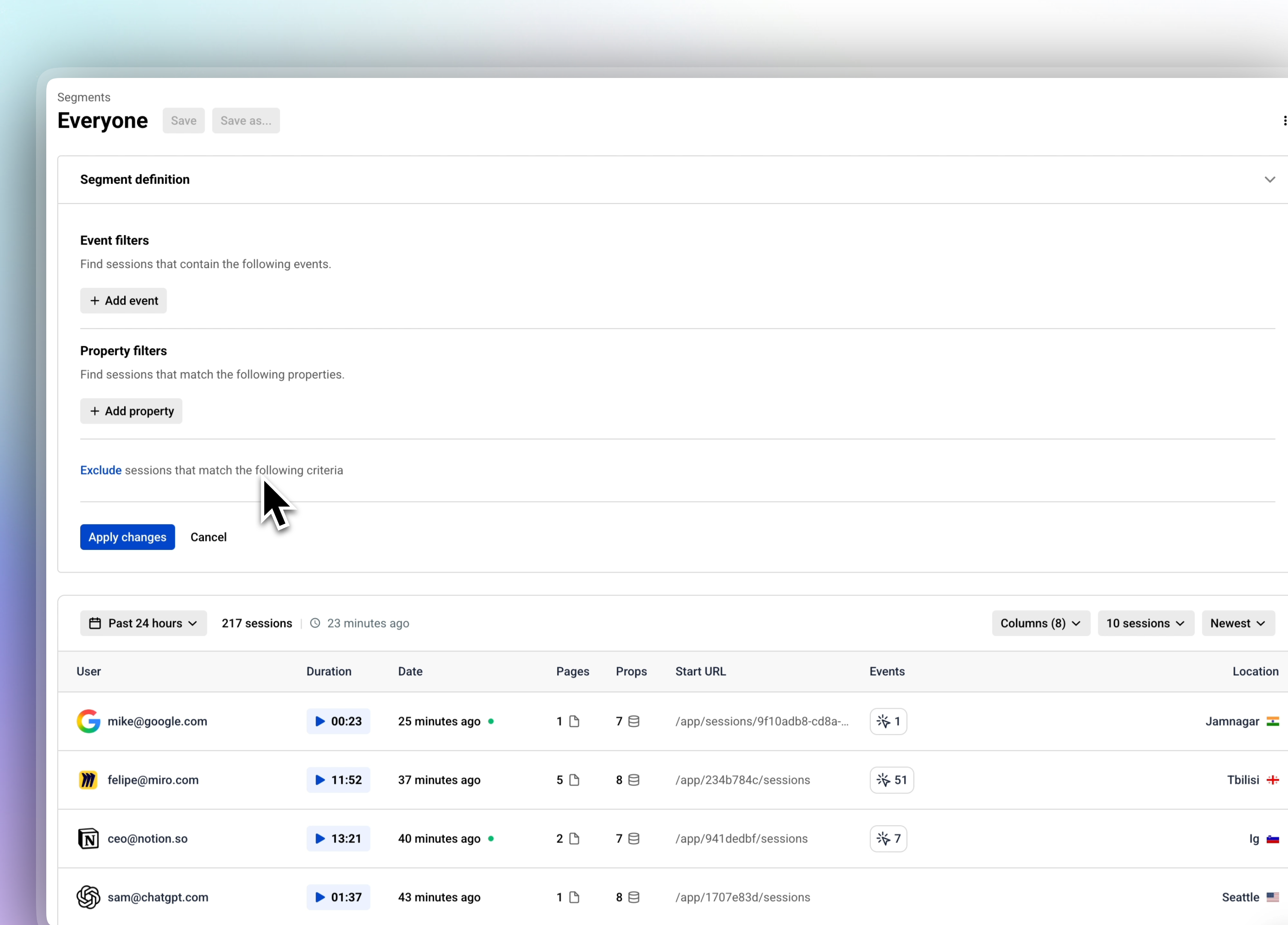
Clear Segment definition

We’ve streamlined navigation with a shared header across Sessions, Dashboards, Metrics, and Funnels. This cohesive design keeps things intuitive and consistent, so you can move between sections without missing a beat.

Resizable Sidebar

Make the sidebar work for you! With our new configurable sidebar size, you can tweak it to fit your screen and style—go sleek and minimal or expand it for easier navigation. It’s all about creating a workspace that feels just right.

Filter Icons from Our Design System

Our filter icons got a serious upgrade! Pulled straight from our design system, these new icons are crisp, consistent, and make filtering sessions feel seamless. Expect a cleaner, more intuitive experience every time you sort through your data.


We’re beyond excited to bring these updates to you, and we can’t wait to hear what you think! Jump in, explore the new features, and drop us your feedback to help us keep making LiveSession better every day.

Share your feedback here:

LiveSession Feedback Portal

Improvement

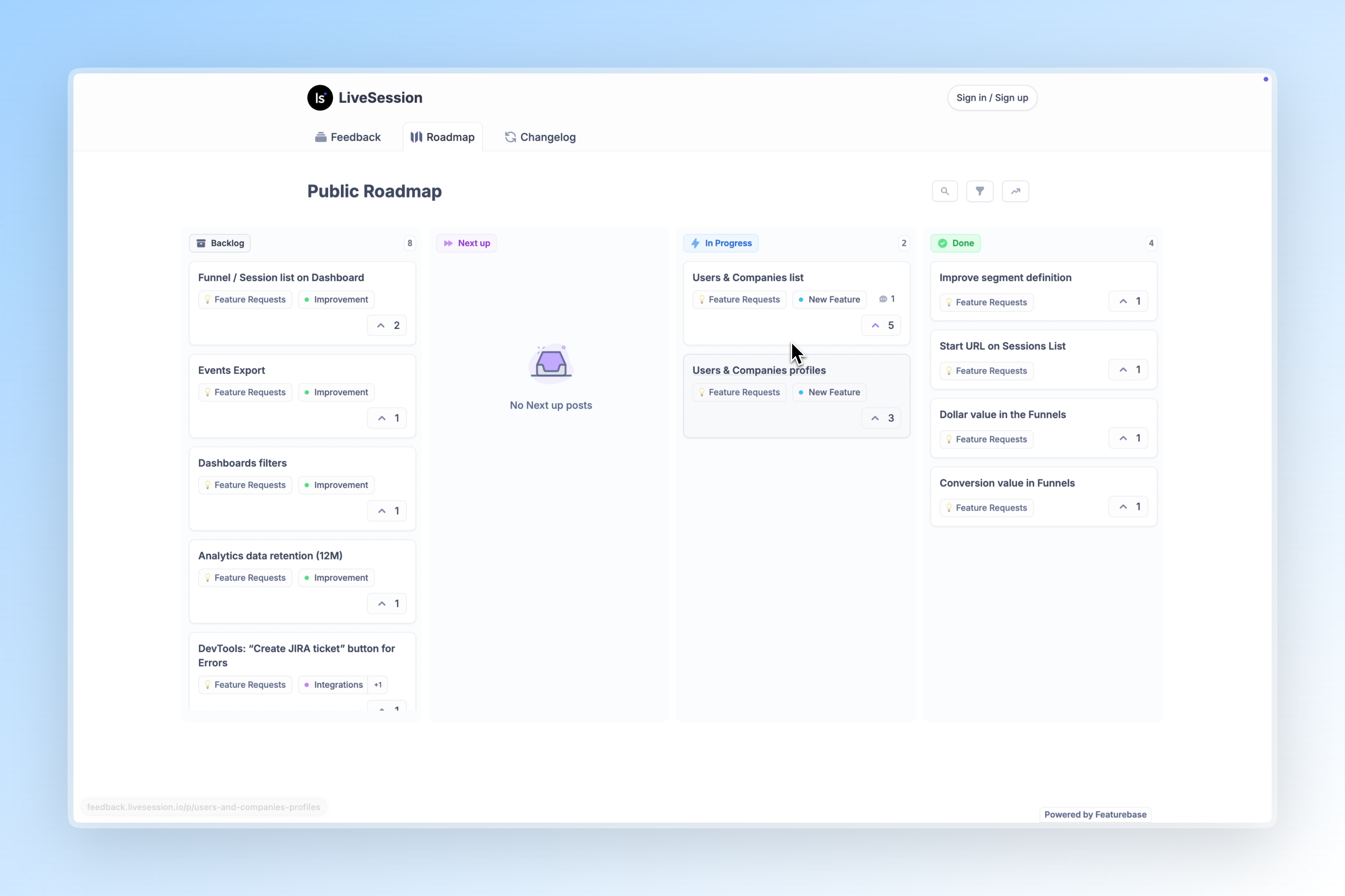
Introducing Our New Feedback Portal and Public Roadmap

You can request new features now. Here’s how: 🔻

We've built something we should have had from day one: a transparent way for you to shape LiveSession's future.

Meet Our New Feedback Portal

Direct access: Click "Give Feedback" in your LiveSession app or visit our feedback portal directly.

What's different:

Public Roadmap - See exactly what we're building, what's in planning, and what's coming next. No more guessing about our priorities or timeline.

Community-Driven Requests - Browse feature requests from other users. Found something you need too? Upvote it. Your vote directly influences our development priorities.

Transparent Development - Submit new feature requests, comment on existing ones, and track progress from idea to implementation. Watch your suggestions move through our development process.

How It Works

We've created a short video walkthrough showing you exactly how to:

📩 Submit a new feature request

🗺️ Explore our public roadmap

👍 Upvote and comment on existing requests

📈 Track the status of suggestions you care about

Watch the Tutorial Video 🔻

Access the portal: Click "Give Feedback" in your app or visit this page

You Have Real Impact on Product Features

Remember the configurable session table we just released? That came from consistent user feedback about needing project-specific data views. With our new portal, you would have been able to:

  • See this request building momentum through upvotes

  • Add your specific use case to the discussion

  • Track progress as we moved it from "Under Review" to "In Development" to "Released"

Your Turn

The features that matter most to your workflow should drive our roadmap. Whether it's a small interface improvement or a major new capability, your input shapes what we build next.

Start here:

  • Browse our public roadmap to see what's coming

  • Upvote requests that would help your work

  • Submit new ideas we haven't considered

  • Join discussions on features in development

Access the portal: Click "Give Feedback" in your app or visit this page

Questions about the portal? Comment below 👇

Announcement

Earlier updates